How LUTly works
The pipeline, start to finish. The output is a real .cube file you own.

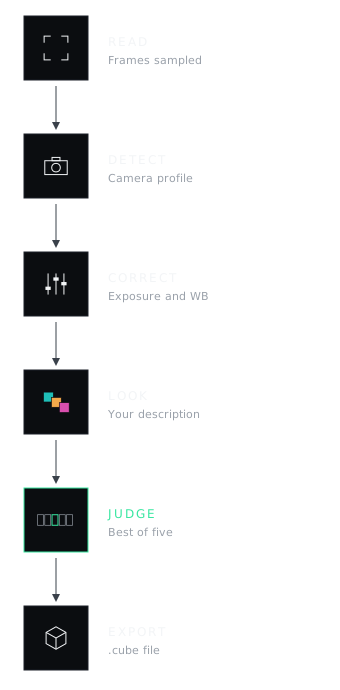
A few preview frames, read in your browser.
Camera and log profile identified.
Exposure and white balance fixed per clip.
The look you described, applied on top.
Up to five candidates rendered and compared. The best wins.
A real .cube, 33 or 65 point.
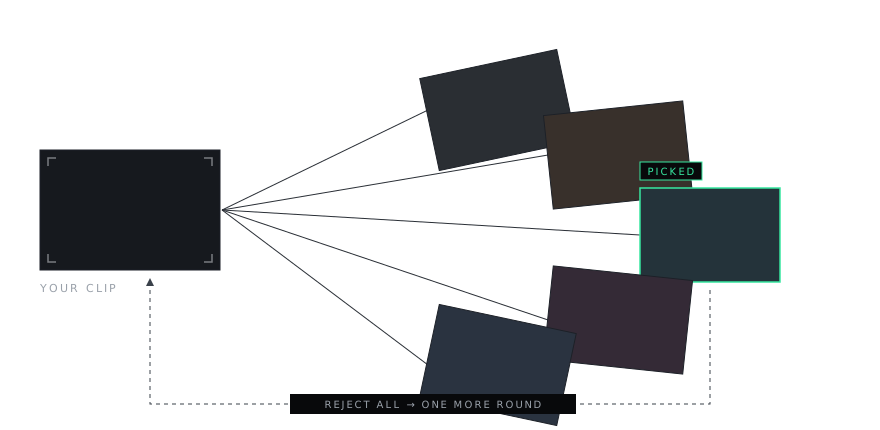
2.0 renders every candidate, then a second model picks the best result.
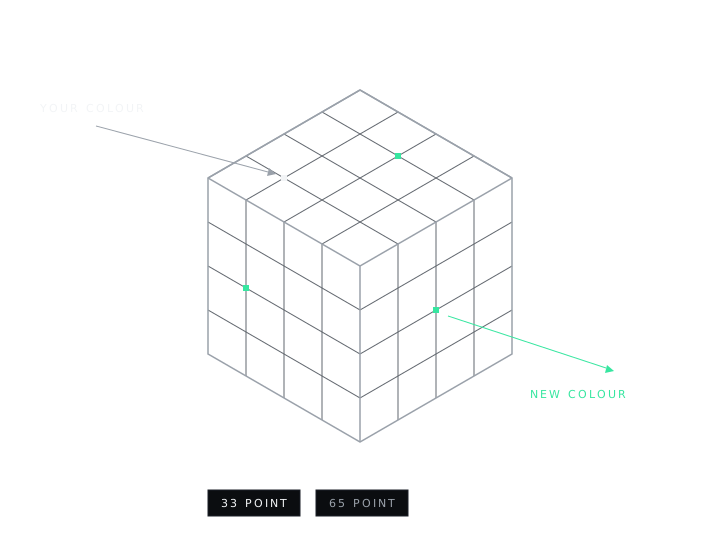
A LUT is a 3D lookup table: a map from every colour to a new colour. Yours works in Resolve, Premiere, Final Cut and CapCut. Guides
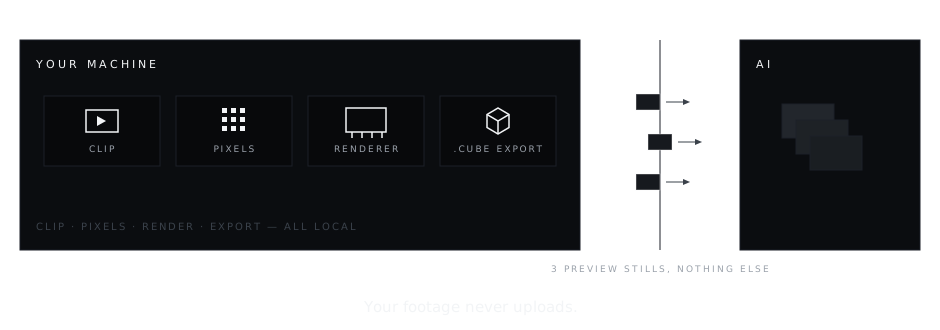
Your footage never uploads. Pixel processing runs on your machine. Only up to three small preview stills go to the AI.
Frequently asked.
Is LUTly a filter?
No. It builds a corrective transform for your specific clip, then applies the look you asked for. The result is a .cube file you own, not an effect locked to one app.
What is a .cube file?
A 3D lookup table that maps every colour in your footage to a new colour. It works in Resolve, Premiere, Final Cut and CapCut.
Does my footage upload?
No. Pixel processing runs on your machine. Only up to three small preview stills go to the AI.
Which cameras and log formats are supported?
S-Log3, C-Log3, V-Log, D-Log, Apple Log and standard profiles. Detection is automatic, with manual override.