Use LUTly LUTs in Final Cut Pro
Export from LUTly, install, apply. Three steps and one setting that matters.
Export your .cube files from LUTly. Batch exports arrive as one zip, named after your clips.

Copy them into Library > Application Support > ProApps > Camera LUTs. Restart Final Cut.

Select your clips, open the info inspector, set the Camera LUT. It applies across everything selected.

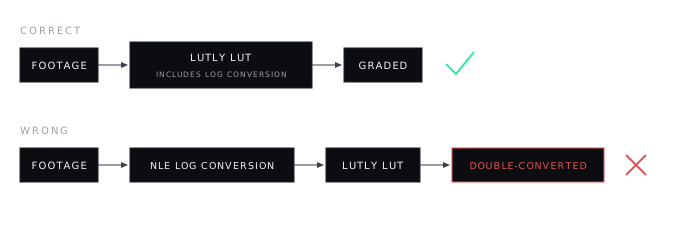
LUTly LUTs include the log conversion. Set the Camera LUT to your LUTly LUT, replacing Final Cut's own conversion. Running both converts the footage twice and the grade will look wrong.
Frequently asked.
Why does my grade look wrong or doubled?
Final Cut is applying its own log conversion under your LUT. The LUTly LUT replaces the Camera LUT; it does not sit on top of it.
Camera LUTs folder or Custom LUTs folder?
Camera LUTs. It applies at media level, multi-selects, and runs before clip effects.
Do the LUTs work on another Mac?
Yes. Copy the .cube files to the same folder on that machine.